
默认情况下,WordPress 让用户可以在后台设置:姓,名,昵称,然后选择显示的名称。大概就是下图这个样子:
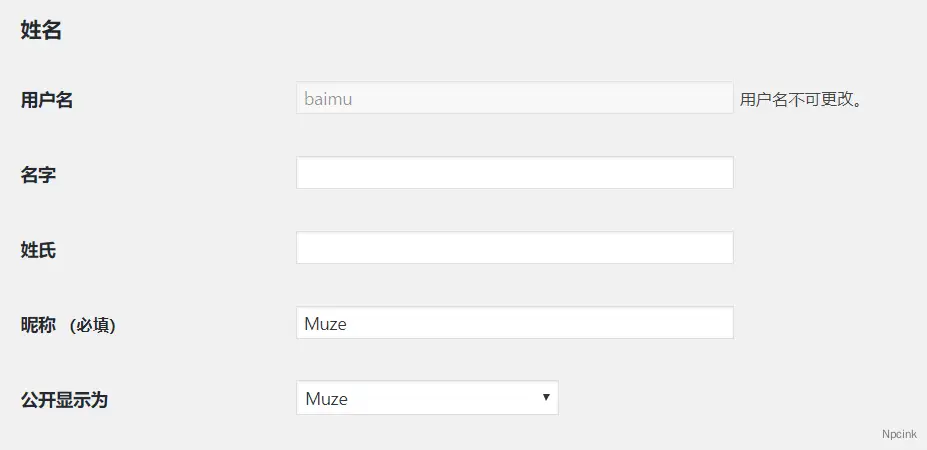
其实只是用来写写博客,很少的编辑会填这么多的东西,所以最好的方法就是把他们隐藏起来,看了一下 WordPress 源代码,名称设置这里竟然没有 filter,没有 filter 那就用 JS 来隐藏,然后提交的时候,把显示的名称强制设置为昵称就好了。
最后的代码如下,同样复制到当前主题的 functions.php 文件即可:
// 隐藏 姓,名 和 显示的名称,三个字段add_action('show_user_profile','wpjam_edit_user_profile');add_action('edit_user_profile','wpjam_edit_user_profile');function wpjam_edit_user_profile($user){ ?> <script> jQuery(document).ready(function($) { $('#first_name').parent().parent().hide(); $('#last_name').parent().parent().hide(); $('#display_name').parent().parent().hide(); $('.show-admin-bar').hide(); }); </script><?php}
//更新时候,强制设置显示名称为昵称add_action('personal_options_update','wpjam_edit_user_profile_update');add_action('edit_user_profile_update','wpjam_edit_user_profile_update');function wpjam_edit_user_profile_update($user_id){ if (!current_user_can('edit_user', $user_id)) return false;
$user = get_userdata($user_id);
$_POST['nickname'] = ($_POST['nickname'])?:$user->user_login; $_POST['display_name'] = $_POST['nickname'];
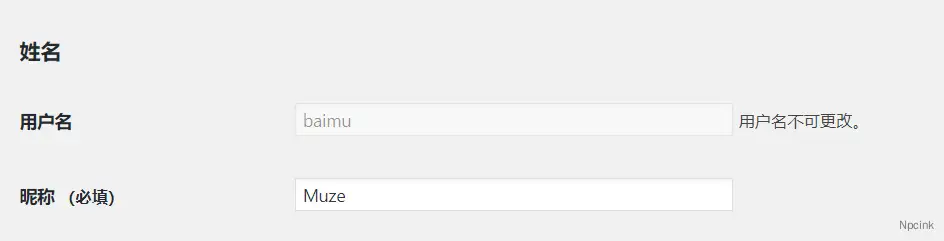
$_POST['first_name'] = ''; $_POST['last_name'] = '';}最后的效果如下图,是不是清爽多了:
来源于: https://blog.wpjam.com/m/simplify-WordPress-admin-user-name-fields/