
来源于:
https://www.wpdaxue.com/WordPress-new-post-sign.html
给你新发布的文章(比如发布后 24 小时内)显示一个【new】图标,这样可以提醒访客。实现方法很简单,就是算个时间差,在规定时间内,插入特定文字或图标。
文字版显示方法
在需要显示的地方(比如标题函数的后面)插入下面的代码
我修改了一下:
$t1=$post->post_date;$t2=date("Y-m-d H:i:s");$diff=(strtotime($t2)-strtotime($t1))/3600;if($diff<24){ echo '<div class="single-new">New</div>';}效果如下:
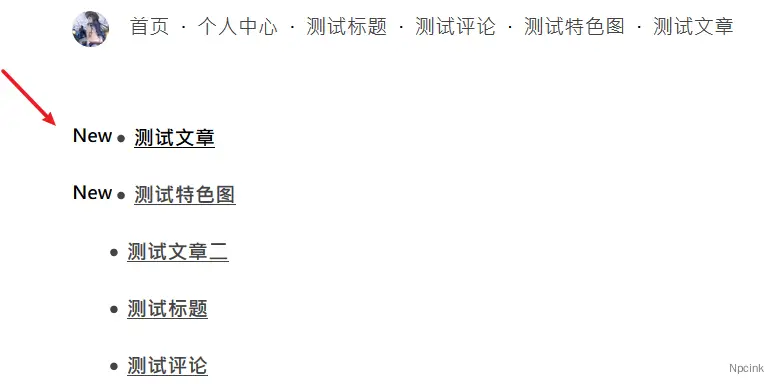
看到 class 没?自己来一点样式,就很舒服。
换成图片看看?
$t1=$post->post_date;$t2=date("Y-m-d H:i:s");$diff=(strtotime($t2)-strtotime($t1))/3600;if($diff<24){ echo '<div class="single-new"><img src="https://oss.getimg.net/img/2019/05/24/1558713003.gif"/></div>';
}什么效果?
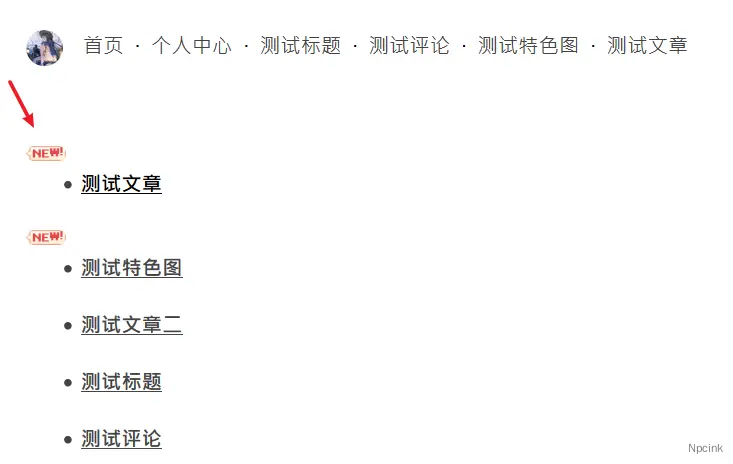
还有
如果发现 date()函数获取的时间晚 8 个小时,可以在上面的代码的顶部添加
date_default_timezone_set('PRC');用来定义默认时区为中国时区,感谢 @leon 的补充。
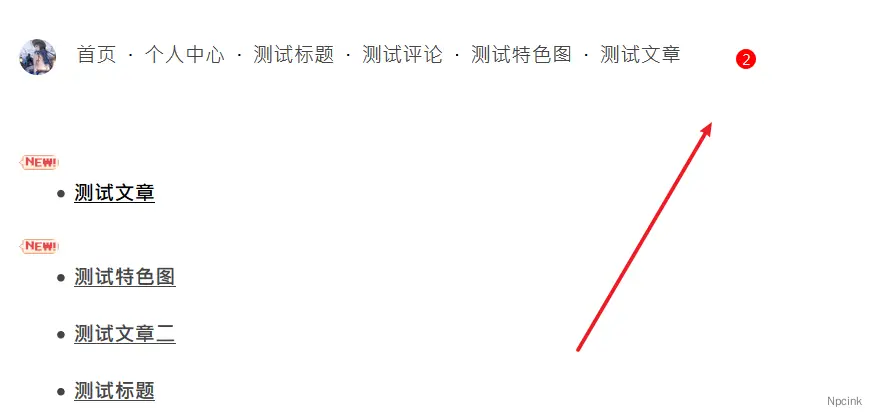
补充个,来源于 CU 主题:
效果如下:
在 functions.php 中第一个<?php 下添加下列代码:
/**最新文章数*/function get_posts_count_from_last_24h($post_type ='post') { global $wpdb; $numposts = $wpdb->get_var( $wpdb->prepare( "SELECT COUNT(ID) ". "FROM {$wpdb->posts} ". "WHERE ". "post_status='publish' ". "AND post_type= %s ". "AND post_date> %s", $post_type, date('Y-m-d H:i:s', strtotime('-24 hours')) ) ); return $numposts;}在需要显示的文职添加下列代码:
<!--最近更新--><?php if (get_posts_count_from_last_24h() != '0') { ?> <div class="zjgx"><?php echo get_posts_count_from_last_24h(); ?></div> <?php } else { } ?>样式:
/*最近更新*/.zjgx{ color: #fff; position: absolute; background: #f00; font-size: 12px; height: 18px; width: 18px; line-height: 18px; text-align: center; top: -9px; right: -9px; border-radius: 9px;}完