

本页目录
常用链接:
主题下载地址:
https://7b2.com/domain-register/
图标:
任务列表:
域名/task/
邀请码短代码:
邀请码支持短代码功能,您可以将您的短代码批量显示到某个页面或者文章中,短代码:
[zrz_inv start=4 end=20]这个短代码的作用是显示一批邀请码到你的网页上,支持文章,页面,公告等等。其中 start 邀请码开始的 ID,end 是邀请码结束的 ID,这个 ID 在邀请码列表中查看
/zrz_inv start=4 end=20/
将 / 替换成 [ ] 即可
验证码数量自定义
inc/recaptcha.php 文件 14 行,这个 6 改成你想要的数字即可!

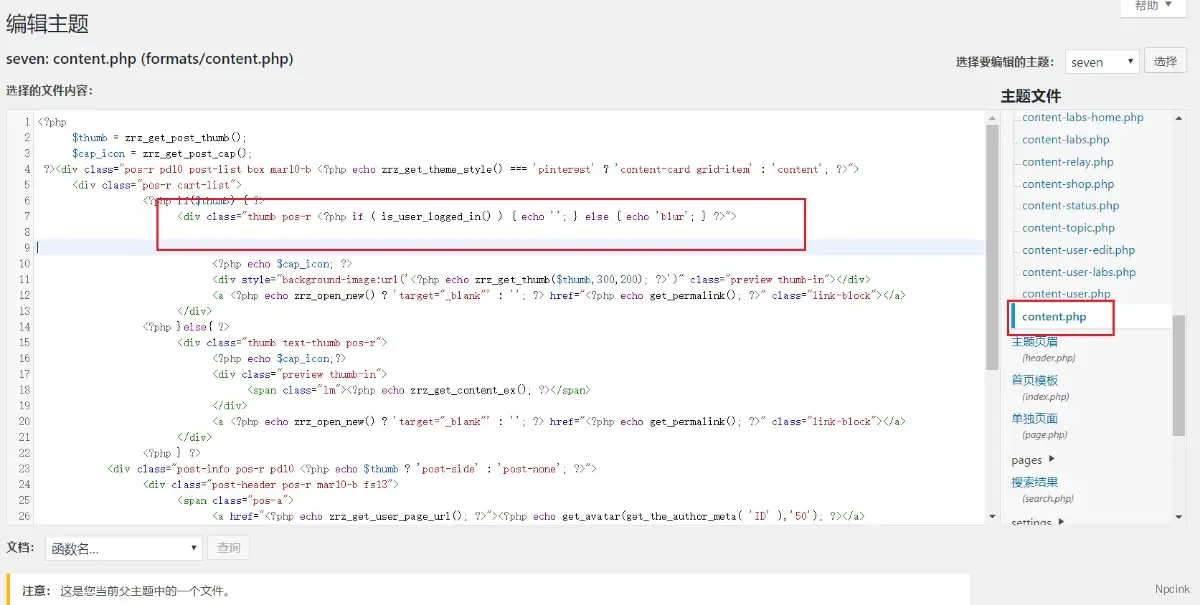
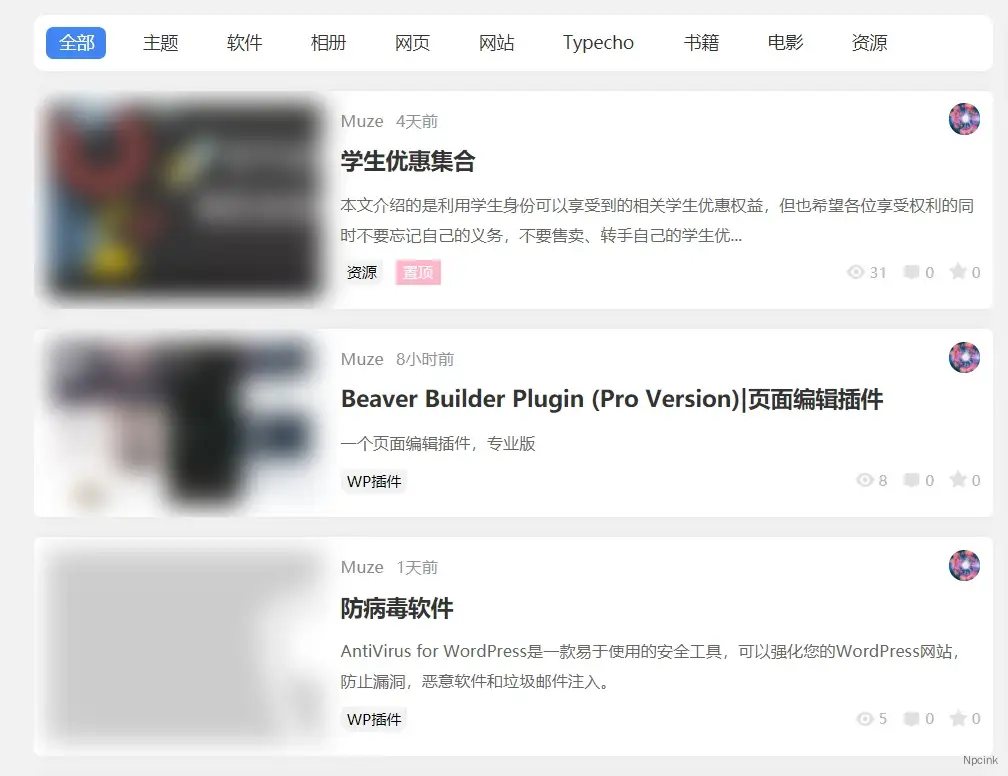
未登陆用户,特色图模糊
编辑主题的 formats.php 的 content.php 的第七行
替换为:
隐藏指定分类并让不同的 VIP 可查看
在子主题的 functons.php 里面的
//需要隐藏的分类ID,多个请用英文的逗号隔开,比如array(4,5,6,7)$delete_cat = array(384);
//处理隐藏指定内容function usewp_delete_cat($query){ global $delete_cat;if(is_vip_x()=='0'){ $query->set('category__not_in', $delete_cat);} return $query;}add_filter('pre_get_posts', 'usewp_delete_cat');
//被隐藏的内容跳转404add_action( 'wp', 'usewp_goto_404' );function usewp_goto_404(){ if ( is_single() && is_vip_x()=='0') { global $delete_cat; $arr_cat = get_the_category(get_the_ID())[0]; if(in_array($arr_cat->term_id,$delete_cat)){ global $wp_query; $wp_query->set_404(); status_header(404); } }}
function is_vip_x(){//可查看的VIP $value = zrz_get_lv(get_current_user_id(),''); if(in_array($value,array('vip1','vip3')) == true || current_user_can( 'manage_options' ) ){ return '1'; }else{ return '0'; }}补充:代码查看:
申请微博登陆:
https://open.weibo.com/webmaster/add?tdsourcetag=s_pctim_aiomsg
批量修改文章权限的方法
下面这段代码是便利你的文章,然后给这些文章设置阅读的权限,前提是你的文章中有段代码把需要隐藏的内容包裹起来了。
$arg = array( 'post_type'=>'post',//文章形式是post 'post_status'=>'publish',//文章状态是已发布 'posts_pre_page'=>-1);
$the_query = new WP_Query($arg);if ( $the_query->have_posts() ) { while ( $the_query->have_posts() ) { $the_query->the_post(); $id = get_the_id(); $res = false;
//要设置的文章ID范围 if($id >=100 && $id <= 3000){ //设置成登陆可见 $res = update_post_meta($id,'capabilities',array('key'=>'login','val'=>''));
//设置成需要支付10元 //$res = update_post_meta($id,'capabilities',array('key'=>'rmb','val'=>'10'));
//设置某些等级可见 //$res = update_post_meta($id,'capabilities',array('key'=>'lv','val'=>array('vip1','vip2')));
//设置成需要支付10积分 //$res = update_post_meta($id,'capabilities',array('key'=>'credit','val'=>'10')); }
if($res){ echo '设置成功,id为'.$id; }else{ echo '设置失败,id为'.$id; } } echo ''; wp_reset_postdata();} else { echo '没有文章';}插件:
美化合集: