
本页目录
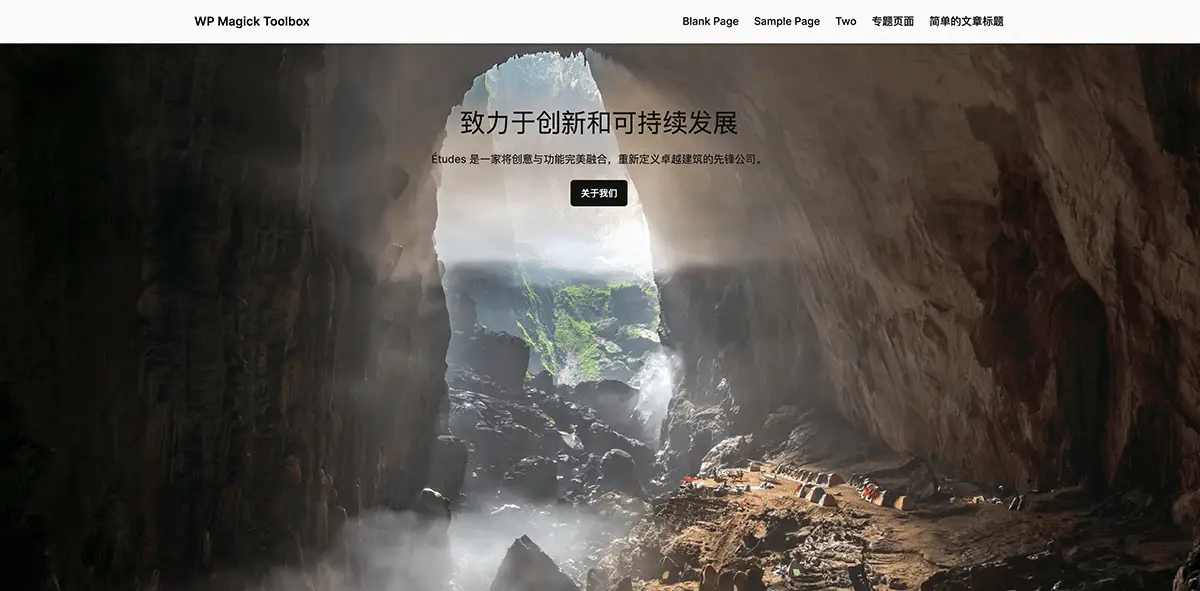
必应的图片选的很棒,根据其他作者的代码二次改进了下,可以在首页铺满整个页面。
考虑到兼容性问题,不同的主题之间适配难度较大,就不做进插件功能了,大家可以自取代码,二次修改使用
效果
代码
// 获取必应每日图片的URLfunction get_bing_daily_image_url(){ // 必应API URL,用于获取每日图片的JSON数据 $bing_api_url = 'https://cn.bing.com/HPImageArchive.aspx?format=js&idx=0&n=1';
// 设置缓存键值,用于存储和检索图片URL $cache_key = 'bing_daily_image_url';
// 尝试获取缓存中的图片URL $img_url = get_transient($cache_key);
// 如果缓存中没有找到图片URL,则请求必应API if (!$img_url) { // 使用WordPress函数发送HTTP GET请求到必应API $response = wp_remote_get($bing_api_url);
// 确保HTTP请求没有返回错误 if (!is_wp_error($response)) { // 获取HTTP请求的响应体内容 $body = wp_remote_retrieve_body($response);
// 解析JSON格式的响应体 $data = json_decode($body, true);
// 如果数据中含有图片URL,则进行处理 if (!empty($data['images'][0]['url'])) { // 生成完整的图片URL $img_url = 'https://cn.bing.com' . $data['images'][0]['url'];
// 将图片URL存储到缓存中,并设置过期时间为一天 set_transient($cache_key, $img_url, DAY_IN_SECONDS); } } }
// 如果获取到了图片URL则返回它,否则返回主题目录下的默认图片 return $img_url ? $img_url : get_template_directory_uri() . '/images/blog-overview-bg.webp';}
// 将必应每日图片添加到首页的背景add_action('wp_head', 'bing_daily_image_homepage_css');
// 添加自定义CSS到前端主页的 <head> 部分function bing_daily_image_homepage_css(){ if (is_front_page()) { $bing_image_url = get_bing_daily_image_url(); // CSS样式被格式化,使其具有更可读的结构 $css = " <style> body { background-image: url('{$bing_image_url}'); }
</style>";?> <style> body { position: relative; margin: 0; padding: 0; background-repeat: no-repeat; }
body:after { content: ''; position: absolute; top: 0; left: 0; width: 100%; height: 100%; pointer-events: none; z-index: -1; /* 确保伪元素在背景图像下面 */ } </style>
<?php
echo $css; }}