
本页目录
背景用的视频是《风犬少年的天空》,这款 WordPress 区块以视频做背景,前面放上居中的文本,给人一种很酷炫的感觉。
- 代码来源:详情
效果

补充
类似的网站有:
数据
- 帧宽度:1440
- 帧高度:720
- 帧速率:24 帧/秒
自用代码(B2)
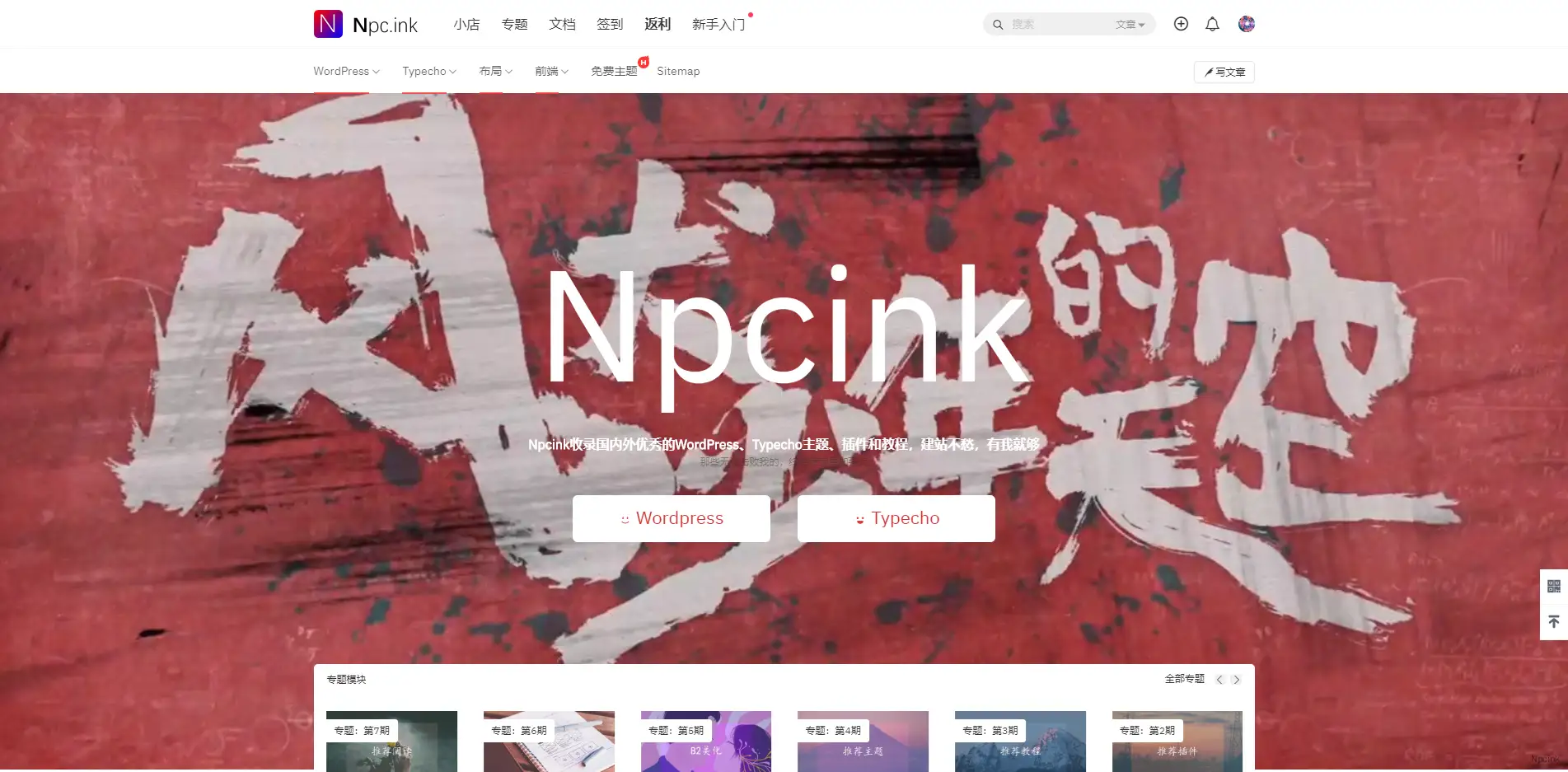
以下代码需放在首页第一个 HTML 模块,可有全屏效果(重点在最后一段 CSS 控制全屏显示)。
<div id="hero" class="video"> <video muted="muted" autoplay="autoplay" loop="loop"> <source src="https://cdn.getimg.net/npc/2020/file/page/1023/video/video-file.mp4" type="video/mp4"> </video> <div> <video autoplay="" loop=""></video> </div> <div id="top"> <h2>Npcink </h2> <h2>Npcink收录国内外优秀的WordPress、Typecho主题、插件和教程,建站不愁,有我就够 </h2><p style="font-size: 1px;opacity: 0.5;">那些无法击败我的,终将使我更加强大</p> <div class="n-annniu"> <a href="https://www.npc.ink/wordpress-page" target="_blank" title="WordPress"> <span class="b2font b2-weixiao-"></span> Wordpress </a> <a href="https://www.npc.ink/typecho-page" target="_blank" title="Typecho"> <span class="b2font b2-biaoqing"></span> Typecho </a> </div> </div> </div>
<style type="text/css">
#hero { position: relative; background-position: center; background-size: cover; background-color: #555; margin: 0 0 20px; text-align: center; transition: 0.8s;}
#hero.video video { position: absolute; min-width: 100%; min-height: 100%; top: 50%; left: 50%; -webkit-transform: translate(-50%, -50%); transform: translate(-50%, -50%);}
/*文本*/#top { position: relative; margin: 2em 8em 1em; padding: 6em 2em;}#top h1,#top h2 { color: #ffffff;}
#top h1 { font-size: 12em;}
#top h2 { font-size: 16px; line-height: 1.8em;font-weight: bolder;}
/*按钮*/.n-annniu { text-align: center; padding-top: 2em;}
.n-annniu a { width: 240px; margin: 0 15px; display: inline-block; color: #d33333; border-radius: 6px; font-size: 22px; line-height: 53px; background: #fff;}
.home_row_0 .wrapper, .home_row_0 .wrapper .box { width: 100%!important; box-shadow: none;}</style>注意,代码中的视频地址为 Npcink 的 OSS 存放地址,已做防盗链处理,在您的网站上无法播放。